For full-stack development
One window instead of five apps
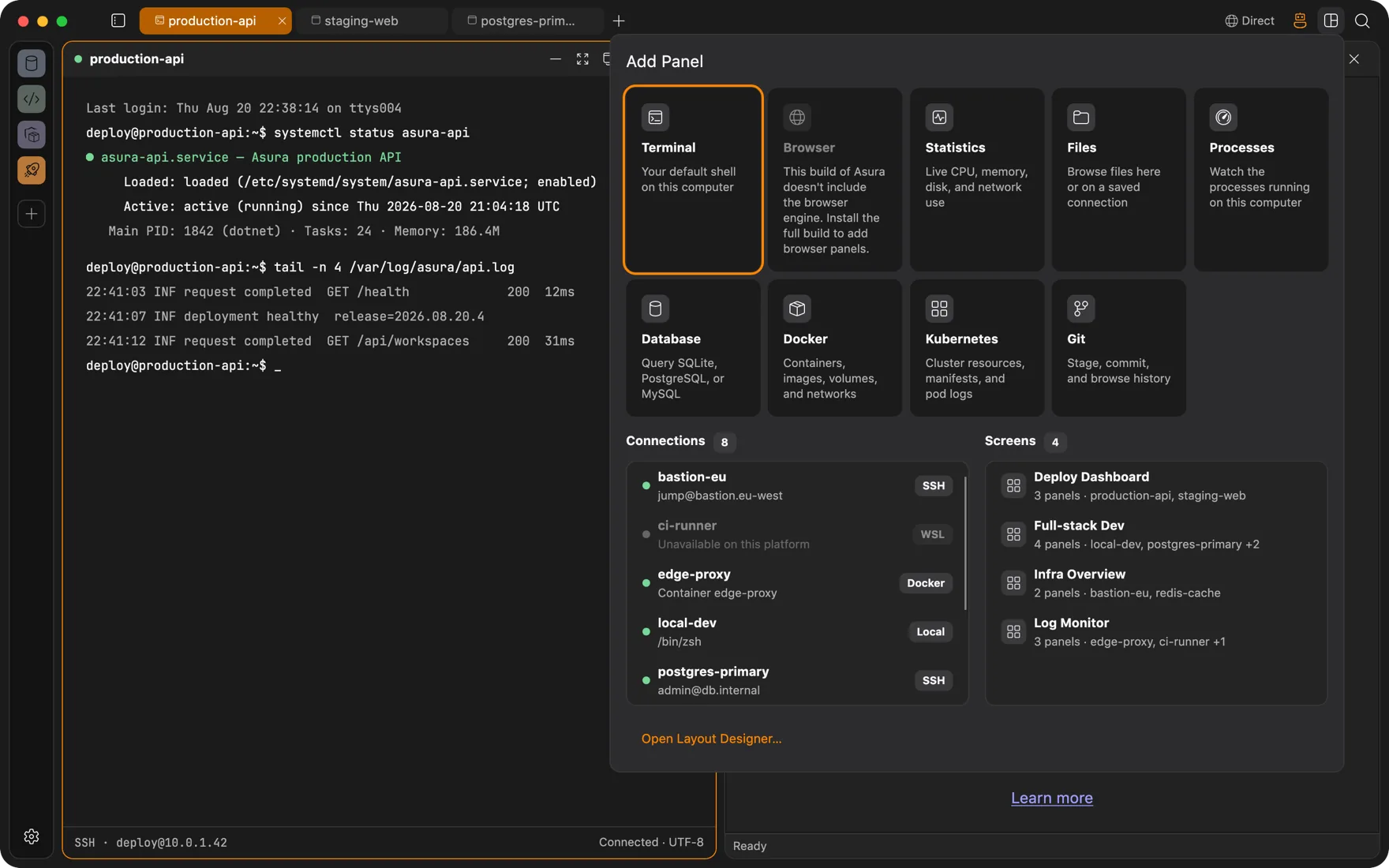
A terminal running the dev server, a browser on localhost, the database the app writes to, the Redis it caches in, the containers it depends on, and the Git repo it lives in. Split them, stack them, save the layout, and reopen it with one click.
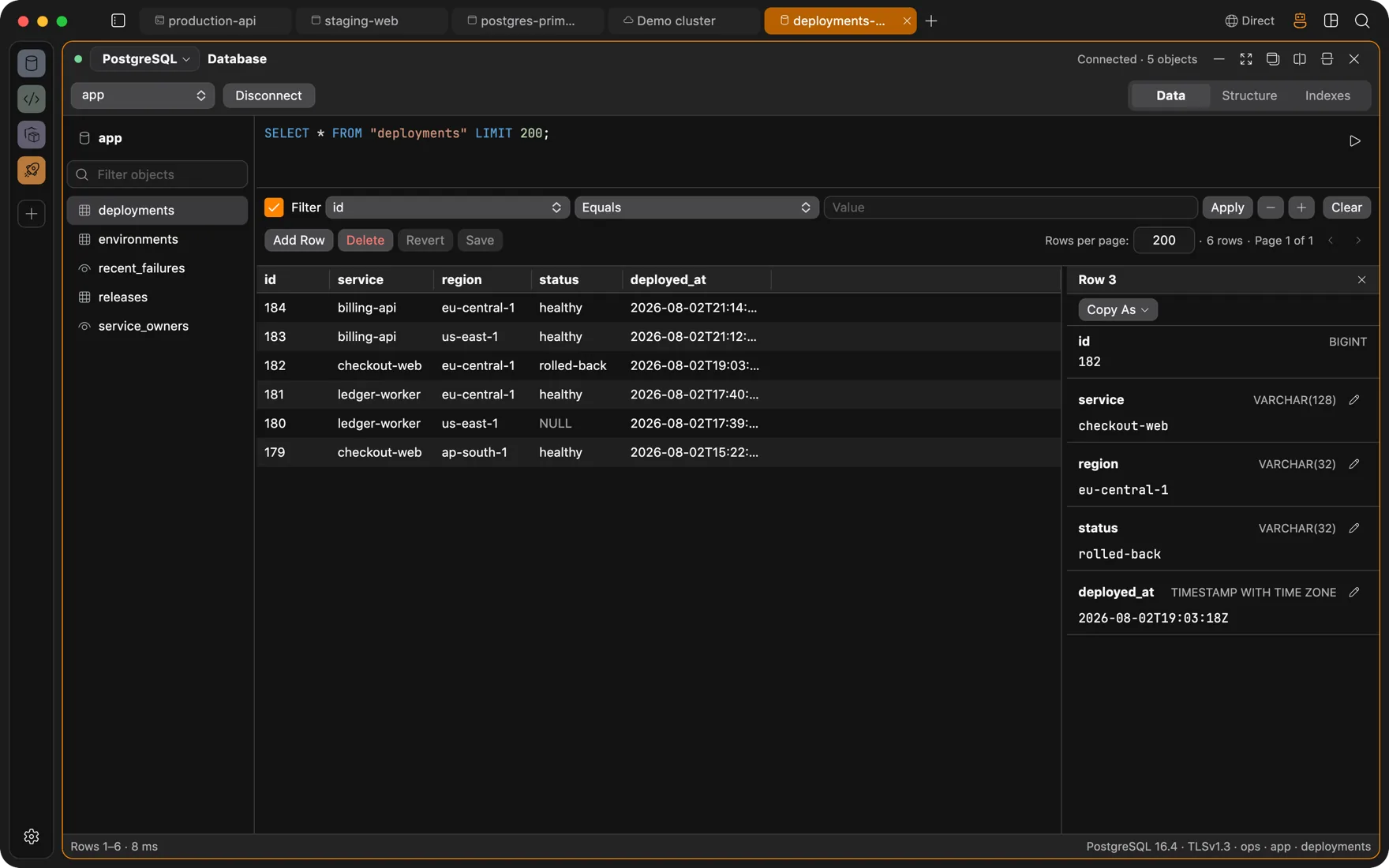
Database
Eleven engines, one panel
PostgreSQL, MySQL, MariaDB, SQLite, SQL Server, ClickHouse, DuckDB, Oracle, Firebird, CockroachDB, and Amazon Redshift. Browse tables, edit rows inline including JSON and booleans, and write SQL with completion and validation that know your schema.
- Schema diagram for the database you are looking at.
- Export a page as CSV, JSON, or SQL, or copy it as TSV.
- Remote databases connect through SSH tunnels or a workspace VPN. Passwords can be asked for at connect time.
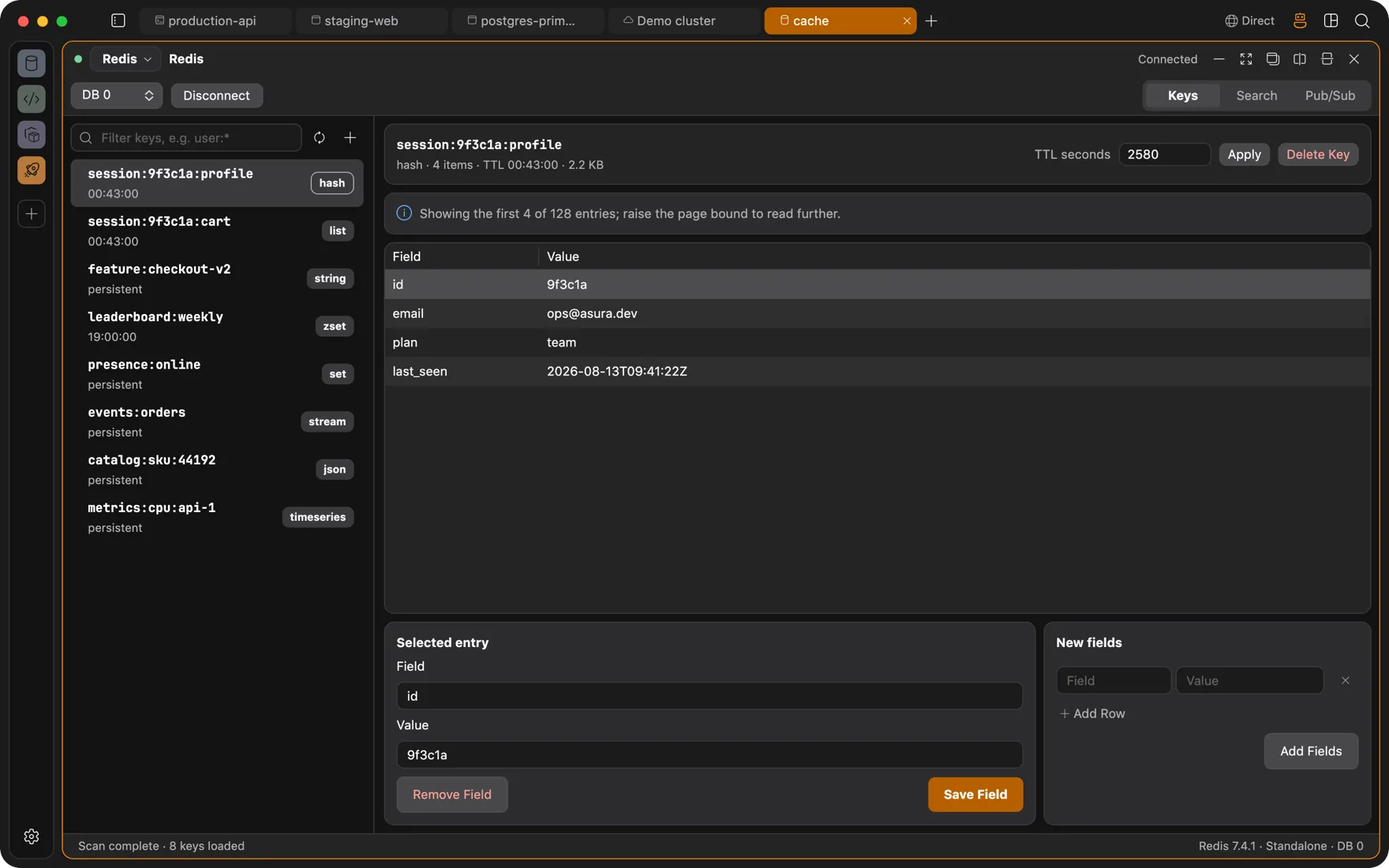
Redis
Keys as a tree, values by type
A key browser with search, TTLs, and pub/sub monitoring. JSON values render as trees, not strings. Standalone, Sentinel, and Cluster topologies.
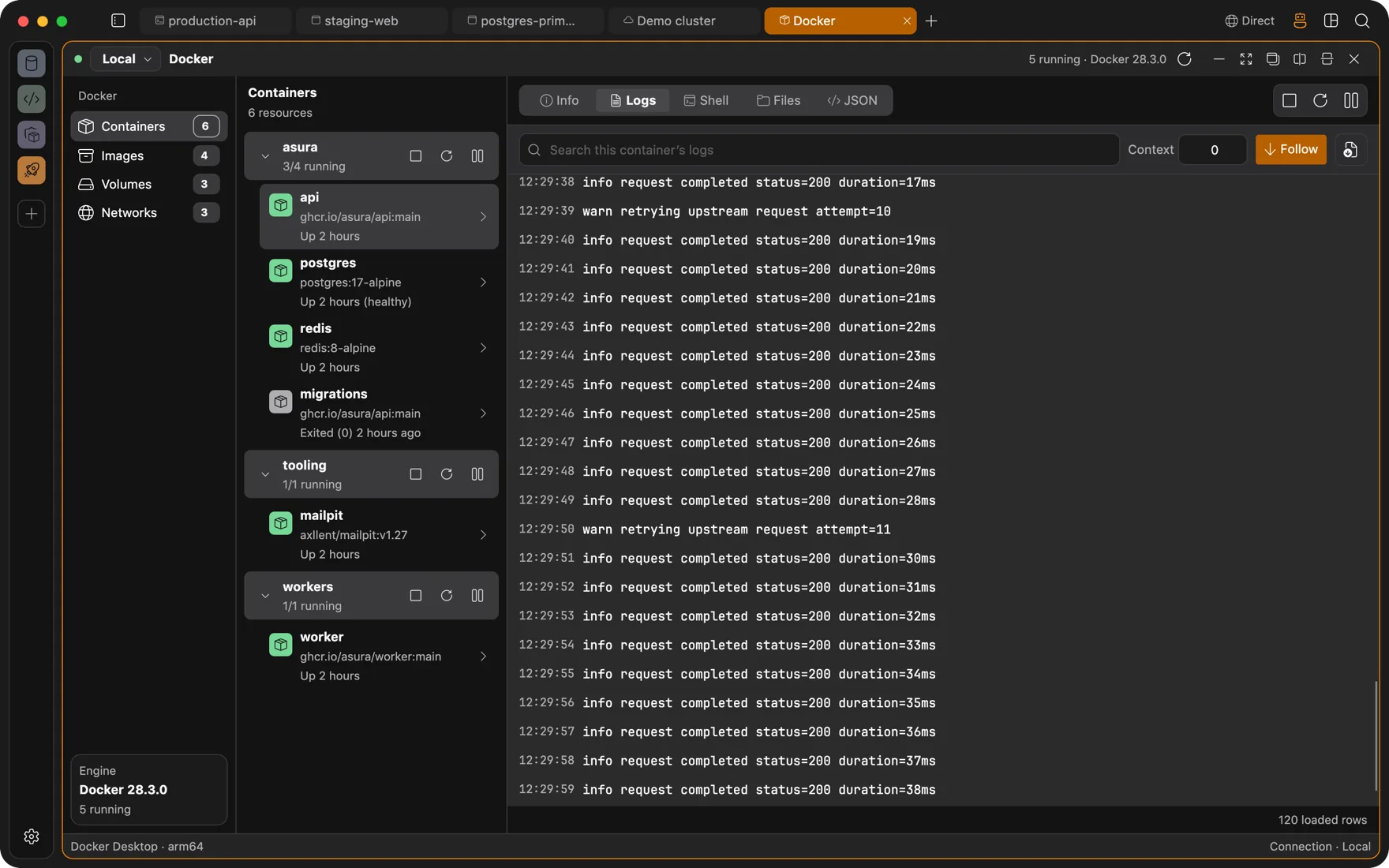
Docker
Containers, logs, shells, and files
Containers, images, volumes, and networks for a local daemon or a remote engine over SSH. Start, stop, restart, pause, and remove. Stream and search logs, open a shell inline or in a new tab, and browse files inside a container or a volume.
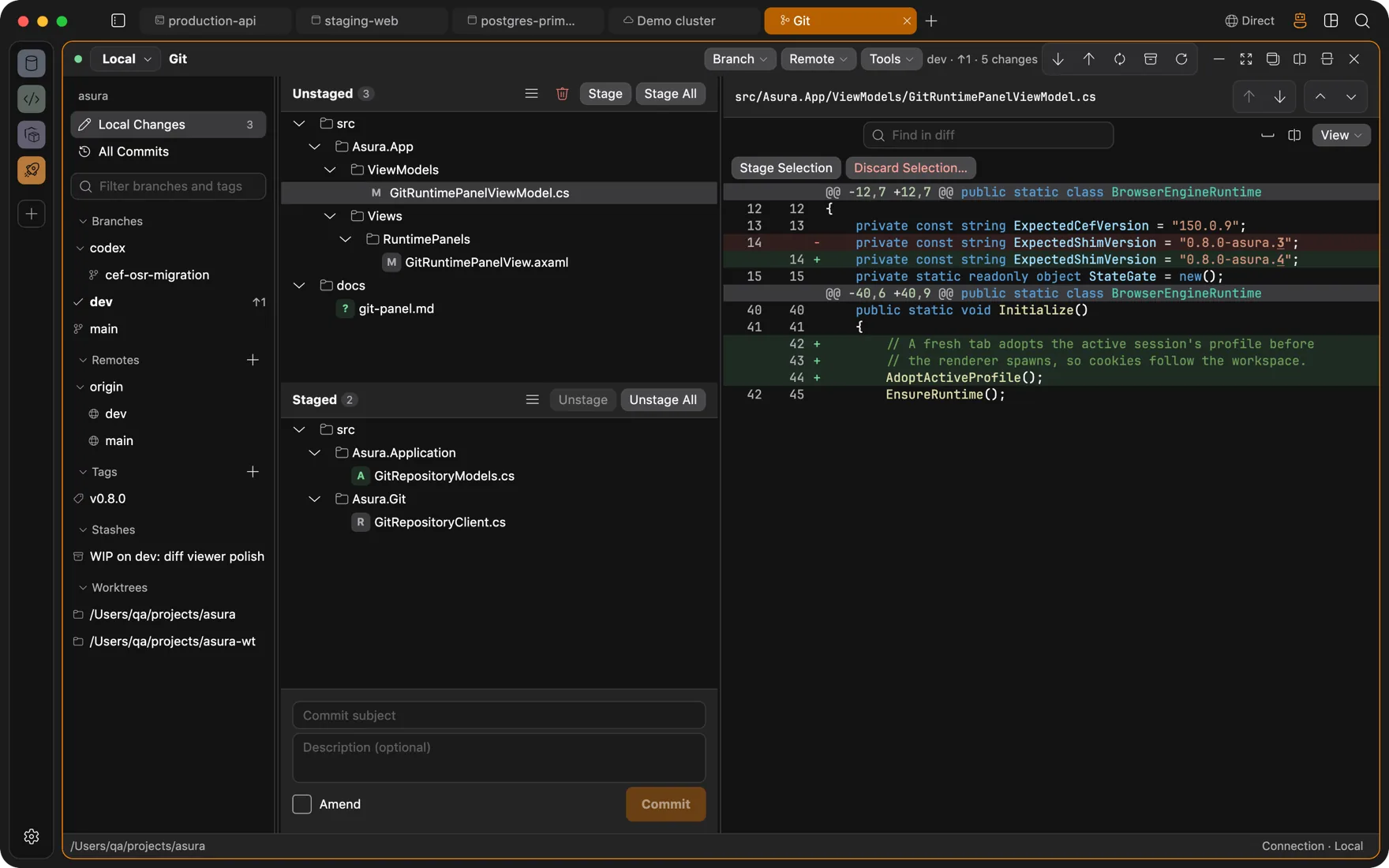
Git
The repository, not a bundled copy of it
Stage hunks, write commits, and walk history on a commit graph. Branches, tags, stash, merge, rebase including interactive, cherry-pick, revert, reset, bisect, reflog, blame, and file history. Conflicts open a resolution dialog. Submodules, LFS locks, git-flow, and commit signing are there when you need them.
- Clone from your GitHub or GitLab account with a repository browser.
- HTTP credentials are prompted for and can be stored in your Keychain.
- The agent can read state and diffs, stage, commit, and push, each under its own permission switch.
Layouts
Save the screen, reopen it tomorrow
Every panel docks, splits, and stacks. A screen is a saved arrangement of panels that a tab can open with one click, drawn in the Layout Designer. Tabs and panels move between windows. Closed tabs reopen. Sessions restore on start.
Questions
FAQ
Which databases are supported?
PostgreSQL, MySQL, MariaDB, SQLite, SQL Server, ClickHouse, DuckDB, Oracle, Firebird, CockroachDB, and Amazon Redshift, plus Redis in standalone, Sentinel, and Cluster topologies.
Can panels reach a remote Docker engine or database?
Yes. Every panel has a host selector. Pick an SSH connection and the Docker panel talks to that engine, the database panel tunnels to that port, and the file panel browses over SFTP.
Also
Other ways people use Asura
Servers over SSH
Browse a remote localhost, watch processes, edit files, and run an agent on a box that only sees an SSH session.
AI agent
An agent that types into real terminals and reads real pages, with each change run only after you approve it. Bring your own model.
DevOps
Docker engines and Kubernetes clusters as panels beside the terminal, deploys that survive a dropped connection, and an agent whose changes wait for your approval.
Client work
One workspace per client: its own VM, its own VPN, its own browser logins, its own connections. Nothing leaks between them.

Get Asura
Free and open source under the MIT license. A signed and notarized build for macOS 13 or later on Apple silicon. Windows and Linux builds are on the way.
Verify the archive against its SHA-256 checksum. Updates arrive in-app: Settings, About, Check for Updates.