For DevOps
Containers, clusters, and the shells between them
Docker engines, local or reached over SSH, and Kubernetes clusters from your kubeconfig open as panels next to the terminal. A deploy you started keeps running when the laptop sleeps. The agent reads logs and proposes changes; each mutation waits for your approval.
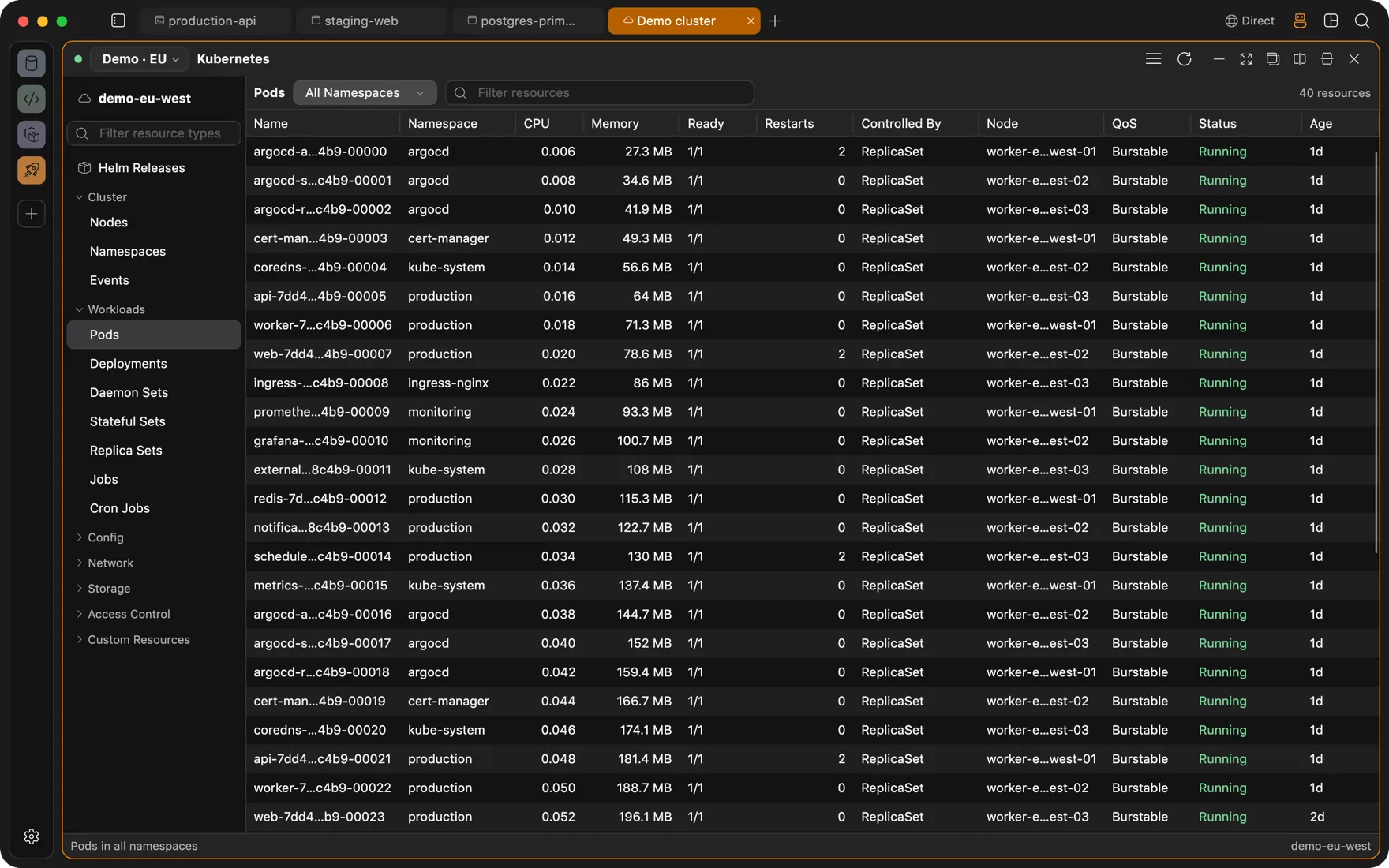
Docker
Containers, logs, shells, and files, local or remote
Containers, images, volumes, and networks for a local daemon or a remote engine over SSH. Start, stop, restart, pause, and remove. Stream logs and search them, open a shell inline or in a new tab, and browse the files inside a container or a volume.
- Compose project and service labels show which stack a container belongs to.
- Per-container stats from the engine; inspect output as JSON.
- A remote engine needs only SSH access to the host. Nothing is installed on it.
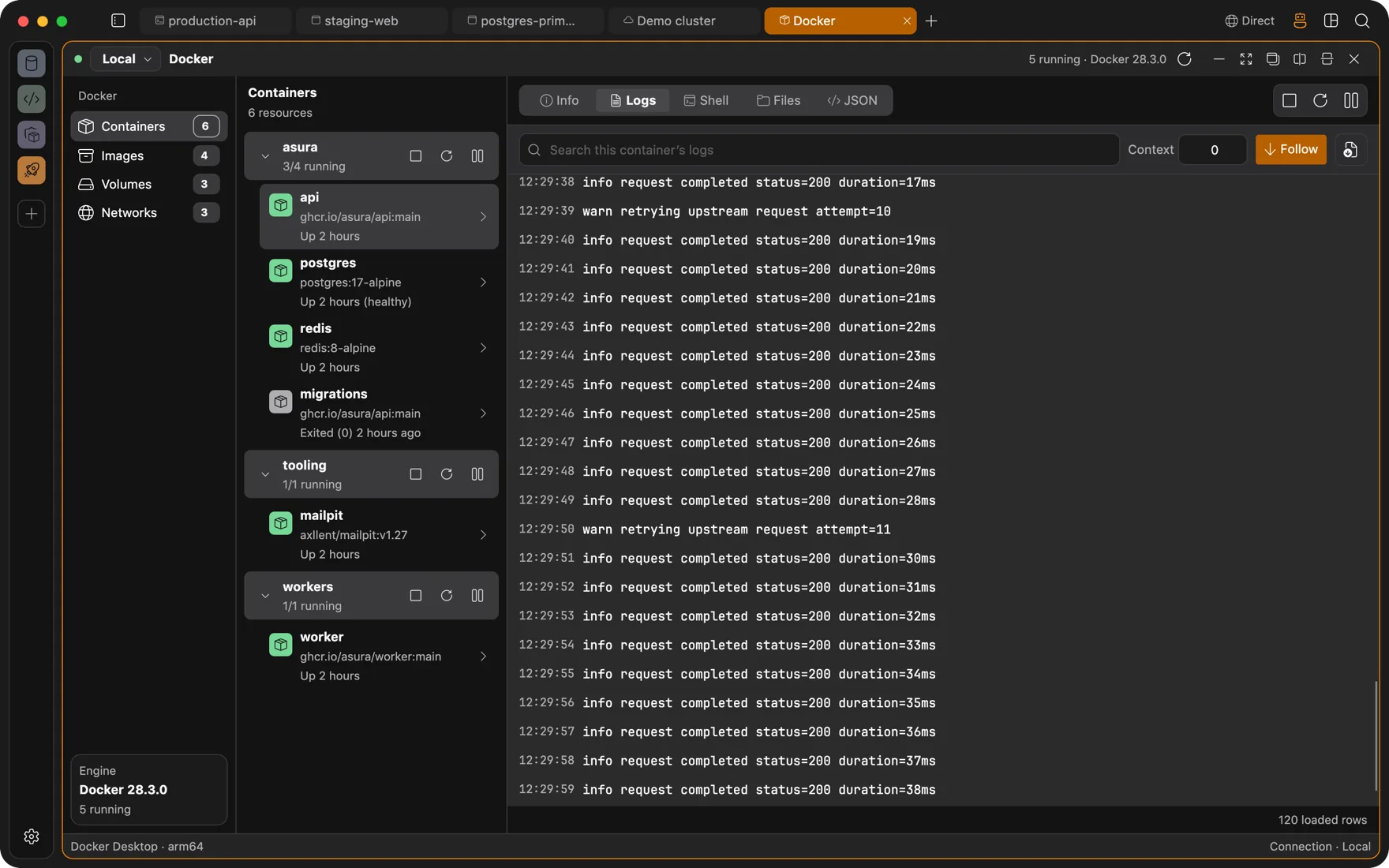
Kubernetes, day to day
Logs, exec, and forwards in the same window
Pick a context from your kubeconfig and a namespace. Workloads update through watches. Pod logs stream with search. Exec opens a real terminal into any container. A service or pod forward lands in a browser or database panel in the same tab, so the admin UI and the Postgres behind it sit side by side.
- Metrics from the Metrics API, with Prometheus or VictoriaMetrics discovered automatically for pod history charts.
- Read-only browsing of container files.
- Authentication with tokens, client certificates, or approved exec helpers, on the host or inside an isolated workspace.
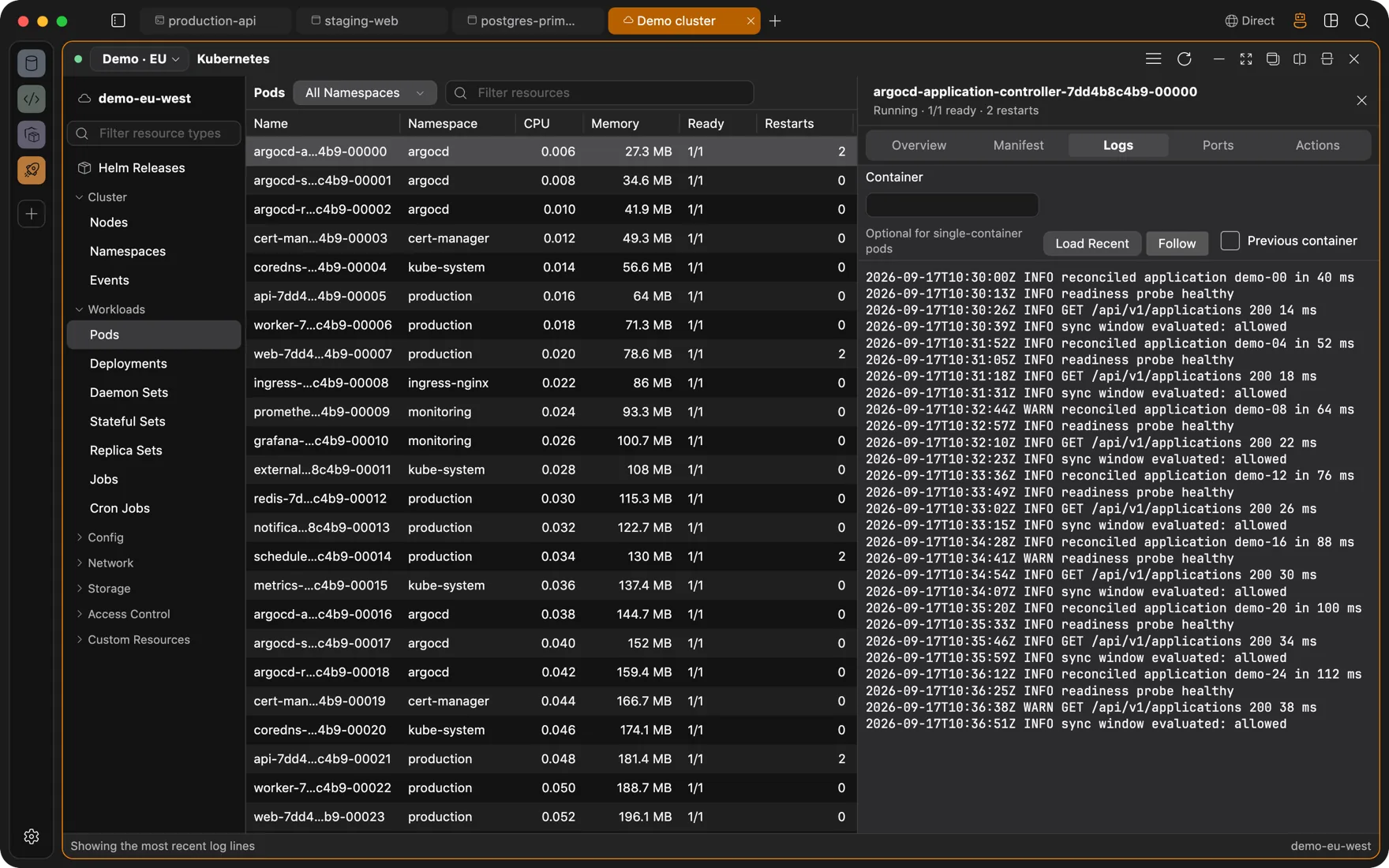
Kubernetes, changes
Manifests, Helm, and nodes, each with a review step
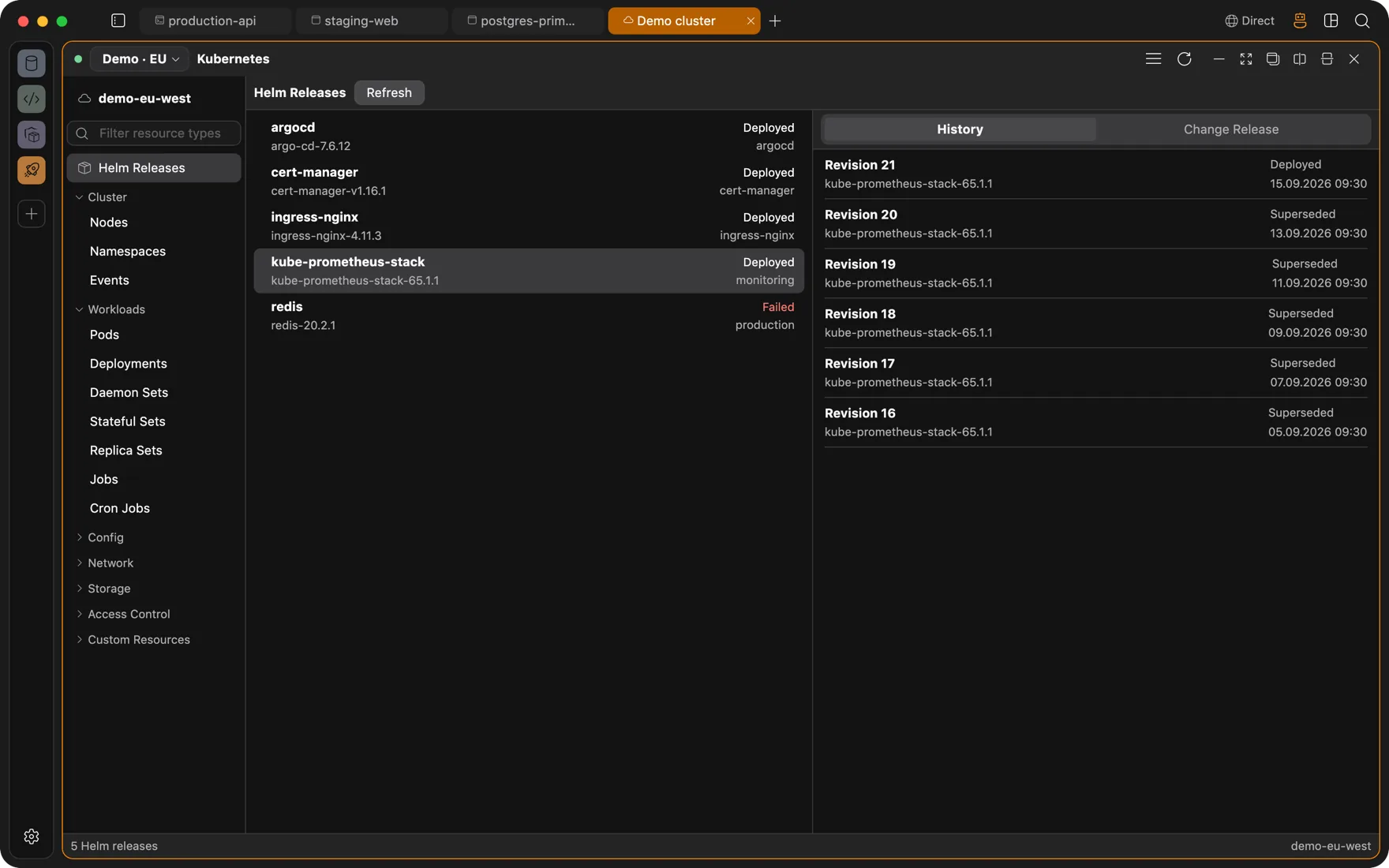
View a resource as YAML or JSON with highlighting, then apply, patch, or delete after a review of what will change. Helm releases can be upgraded, rolled back, or uninstalled. Nodes can be cordoned and drained with evictions that respect pod disruption budgets.
Session continuity
A deploy that outlives the Wi-Fi
Remote terminals run inside a tmux or GNU Screen session that is already on the server. Close the lid, switch networks, or restart the app: the deploy keeps going, and the terminal reattaches with its scrollback when you come back.
- Managed sessions are named asura-* and stay separate from anything else you run on the box.
- If continuity is not possible on a host, Asura offers a plain SSH session instead of failing silently.
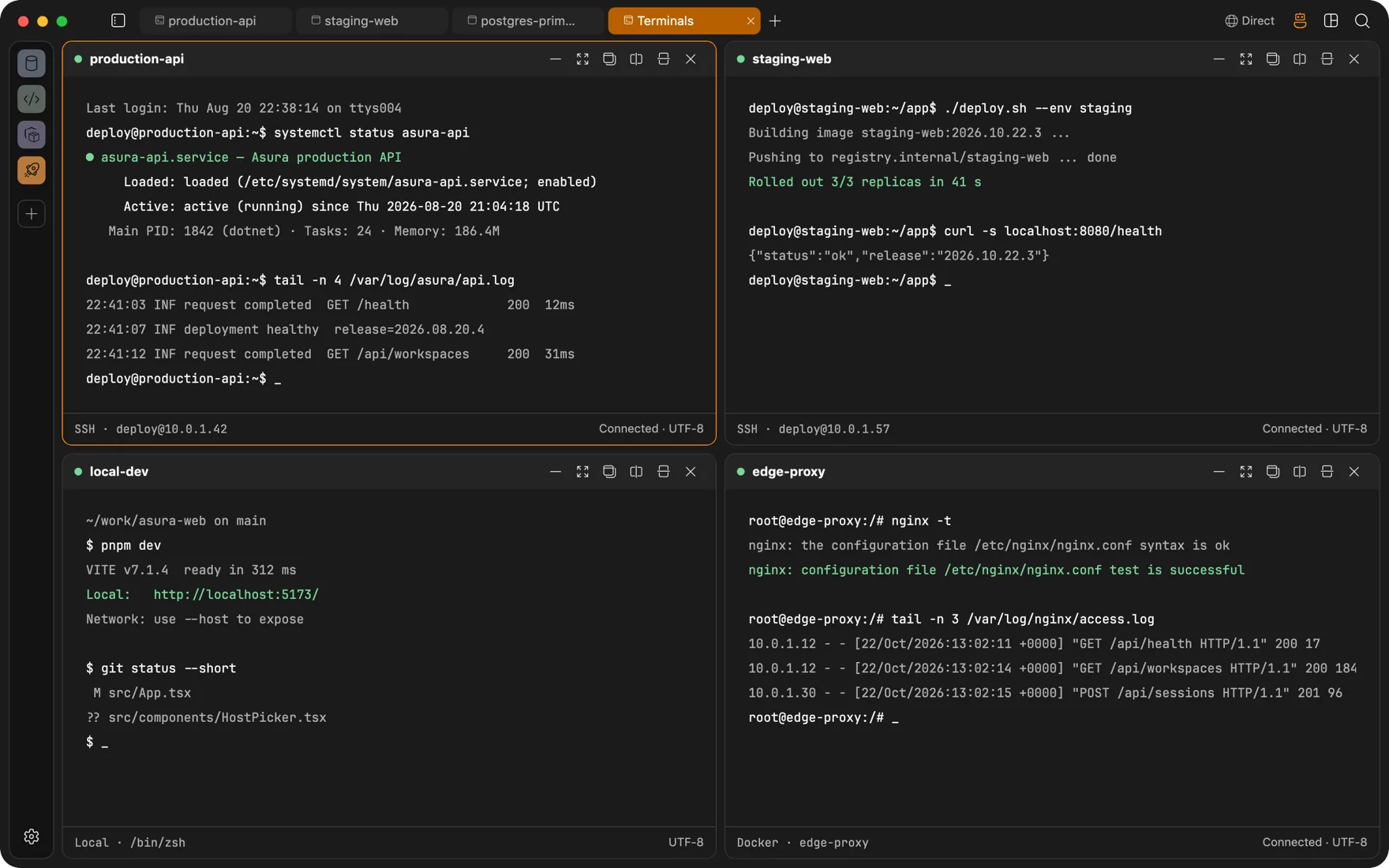
- Four terminals in a grid, each on its own host: two SSH servers, the local shell, a Docker container.
The agent on servers and clusters
Reads by default. Mutations after a preview and your approval.
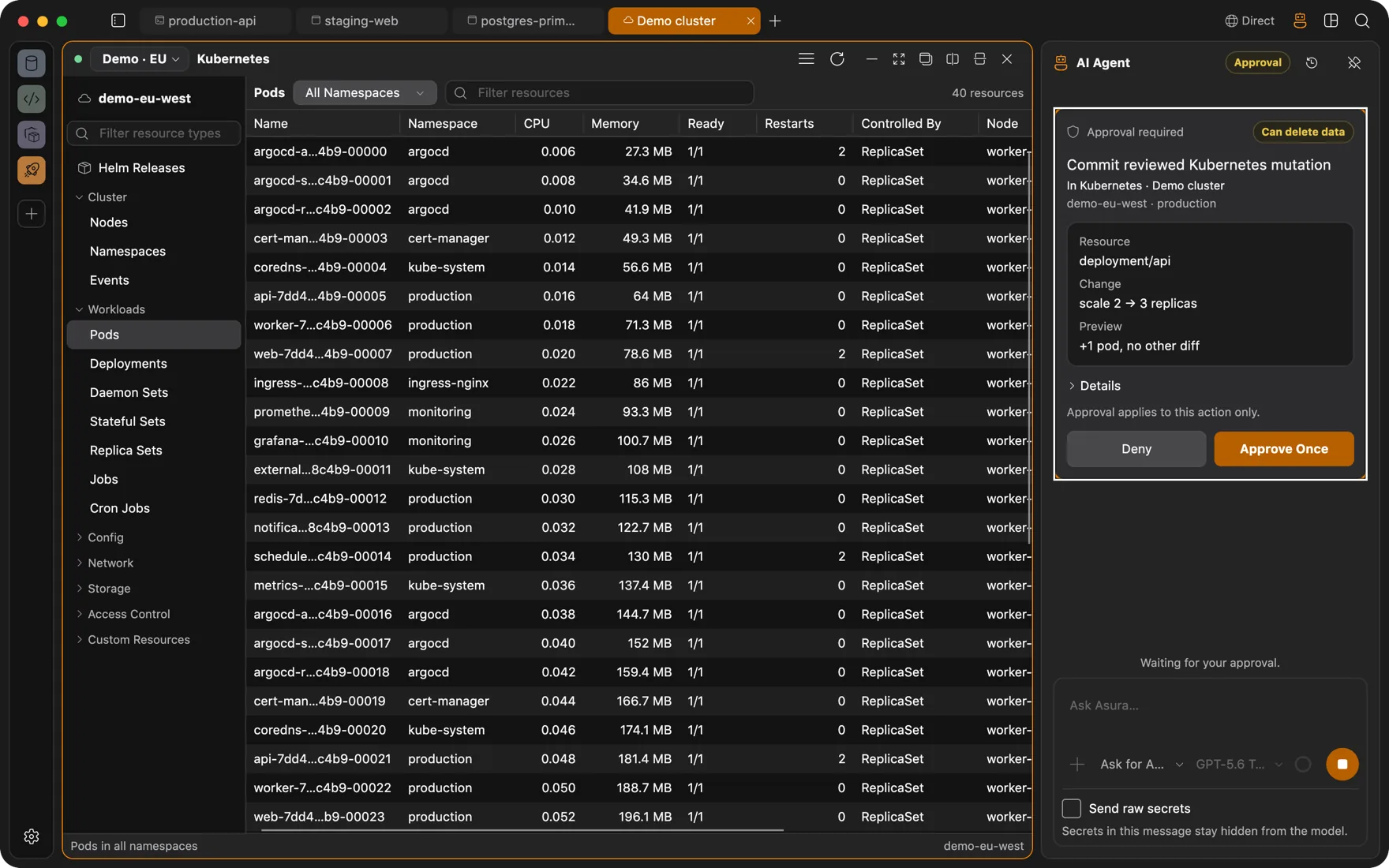
Turn on the capabilities you want. The agent can then discover contexts, list and inspect resources, read pod and container logs, and run commands in terminals you choose. A cluster change goes through a preview the agent must commit, and the commit waits for your approval.
- Kubernetes capabilities default to Off. Docker lifecycle actions and terminal commands have their own switches.
- Agent cluster mutations are limited to apply, scale, rollout restart, and delete. Node drains and Helm operations are UI-only.
- In a terminal, the agent sends real keystrokes. Press a key yourself and its input lease is revoked at once.
Questions
FAQ
Which clusters and auth methods work?
Any cluster your kubeconfig describes. Tokens, client certificates, and exec helper plugins you approve. Authentication can run on the host or inside an isolated workspace so cloud CLIs stay off your machine.
Can the Docker panel reach a remote engine?
Yes. Pick an SSH connection in the panel's host selector and it talks to the engine on that host through the docker CLI over SSH. Containers, images, volumes, networks, logs, shells, and file browsing all work the same way.
Can the agent break my cluster?
Not without you. Its Kubernetes capabilities are Off by default. When you enable them, mutations are limited to apply, scale, rollout restart, and delete, each shown as a preview and committed only after your approval. Node drains and Helm changes are UI-only.
What happens to a running deploy when my connection drops?
It keeps running. The terminal lives in a tmux or GNU Screen session on the server, so the process is not tied to your connection. When you are back online the panel reattaches to the same session, scrollback included.
Also
Other ways people use Asura
Servers over SSH
Browse a remote localhost, watch processes, edit files, and run an agent on a box that only sees an SSH session.
AI agent
An agent that types into real terminals and reads real pages, with each change run only after you approve it. Bring your own model.
Client work
One workspace per client: its own VM, its own VPN, its own browser logins, its own connections. Nothing leaks between them.
Full-stack development
Database client, Redis browser, Docker Desktop, SFTP app, and Git GUI, replaced by panels in the window your terminal is already in.

Get Asura
Free and open source under the MIT license. A signed and notarized build for macOS 13 or later on Apple silicon. Windows and Linux builds are on the way.
Verify the archive against its SHA-256 checksum. Updates arrive in-app: Settings, About, Check for Updates.